
Quick Overview
Email campaign planning means deciding what goes out, to whom, and when before writing the subject line. The programs that hold up over time share three things: goals tied to actual business outcomes, flows built before campaigns, and someone accountable for every send. Revenue per recipient, click rate, and unsubscribe rate are the metrics you use to tell whether the program is healthy or just busy.What Is Email Campaign Planning & Why It Matters
Here is what email campaign planning actually is: knowing what goes out, to which subscribers, and on what date. It covers your promotional schedule, automated welcome series, seasonal pushes, and re-engagement sequences.
At InboxArmy, we have worked inside enough programs to say this with some confidence: reactive email programs lose. Not because the creative is bad or the offer is weak, but because the decisions get made under pressure. The segment is whoever is convenient. The send date is today. The goal is “drive revenue,” which is not a goal.
Planned programs outperform reactive ones because the thinking happened first. Segmented campaigns generate 760% more revenue than non-segmented sends. That number does not happen by accident. Someone sat down, defined the segment, matched the offer to the audience, and set the send before the subject line was written.
How to Set Email Marketing Goals That Actually Drive Results
The most common mistake I see in email programs is goals that sound good in a meeting but have no connection to what the business actually needs. “Improve engagement” is not a goal. “Increase repeat purchase rate by 15% in Q2 through post-purchase flows” is a goal.
Before I build a calendar or brief a single email, I ask one question: what does this program need to do for the business this quarter? Everything, from campaign type to send frequency to segmentation logic, follows from that answer.
The four outcomes email reliably drives are:
- Revenue generation
- Customer retention
- New subscriber acquisition
- Reactivating lapsed buyers
I pick the one that matters most for the quarter and work backward to the metric that proves it’s happening.
B2B Goals vs B2C Goals
In B2B, I’m rarely optimizing for a direct purchase. The sales cycle is longer, there are usually multiple stakeholders involved, and the inbox is crowded with competitors.
The goals for B2B include:
- Pipeline contribution (how many qualified leads did email move forward this month)
- Demo bookings
- Expansion revenue from existing accounts
One booked call from a well-timed nurture sequence is worth more than a thousand newsletter clicks.
In B2C and e-commerce, the feedback loop is much shorter, and attribution is cleaner.
The goals for B2C include:
- Revenue per recipient
- Repeat purchase rate
- Conversion rate by campaign type
Not all emails should convert at the same rate, and if you’re measuring a welcome series and a promotional blast against the same benchmark, your reporting is lying to you.
Match Your Goal to a KPI and a Benchmark
| Goal Type | KPI to Track | Benchmark to Beat |
| Revenue generation | Revenue per recipient (RPR) | $0.97+ for top 10% campaigns |
| Customer retention | Repeat purchase rate | Positive month-over-month trend |
| Subscriber acquisition | List growth rate | 2 to 5% net growth per month |
| Reactivation | Re-engagement click rate | Above your list average CTR of 2.1 to 2.6% |
| Automation performance | RPR from flows | $3.65+ for cart abandonment |
| Deliverability health | Unsubscribe rate per send | Under 0.3% per campaign |
What Types of Email Campaigns Should You Send?
The campaign types I put on a calendar follow directly from the goals we set. If the goal is retention, I prioritize post-purchase flows and newsletters. If it’s revenue recovery, cart abandonment, and browse abandonment, go live first.
Welcome series
This is your highest-engagement sequence and the one we build first for every new client at InboxArmy. Welcome emails average a 51% open rate, and most brands waste that attention on a single generic confirmation email.
For Sixthreezero, we built a three-part welcome series that opened at a 70.28% open rate with an 18.6% CTOR. The first email tackled their biggest purchase objections directly, covering ease of assembly, shipping costs, custom fitting, and their return policy, then offered $20 off the first bike purchase.
Promotional campaigns
These are your announced sales, product launches, limited-time offers, and seasonal deals. They drive immediate revenue, but we always build in frequency guardrails because the fastest way to burn a list is to make every send feel like a sales pitch.
Nurture and drip sequences
Educational content delivered over time to move someone toward a purchase. I use these heavily in B2B programs and in e-commerce, where the product requires more consideration before buying.
Re-engagement campaigns
These go to subscribers who haven’t opened or clicked in 90 to 180 days. The goal is to confirm intent before those cold contacts start dragging down deliverability for the whole list.
Transactional emails
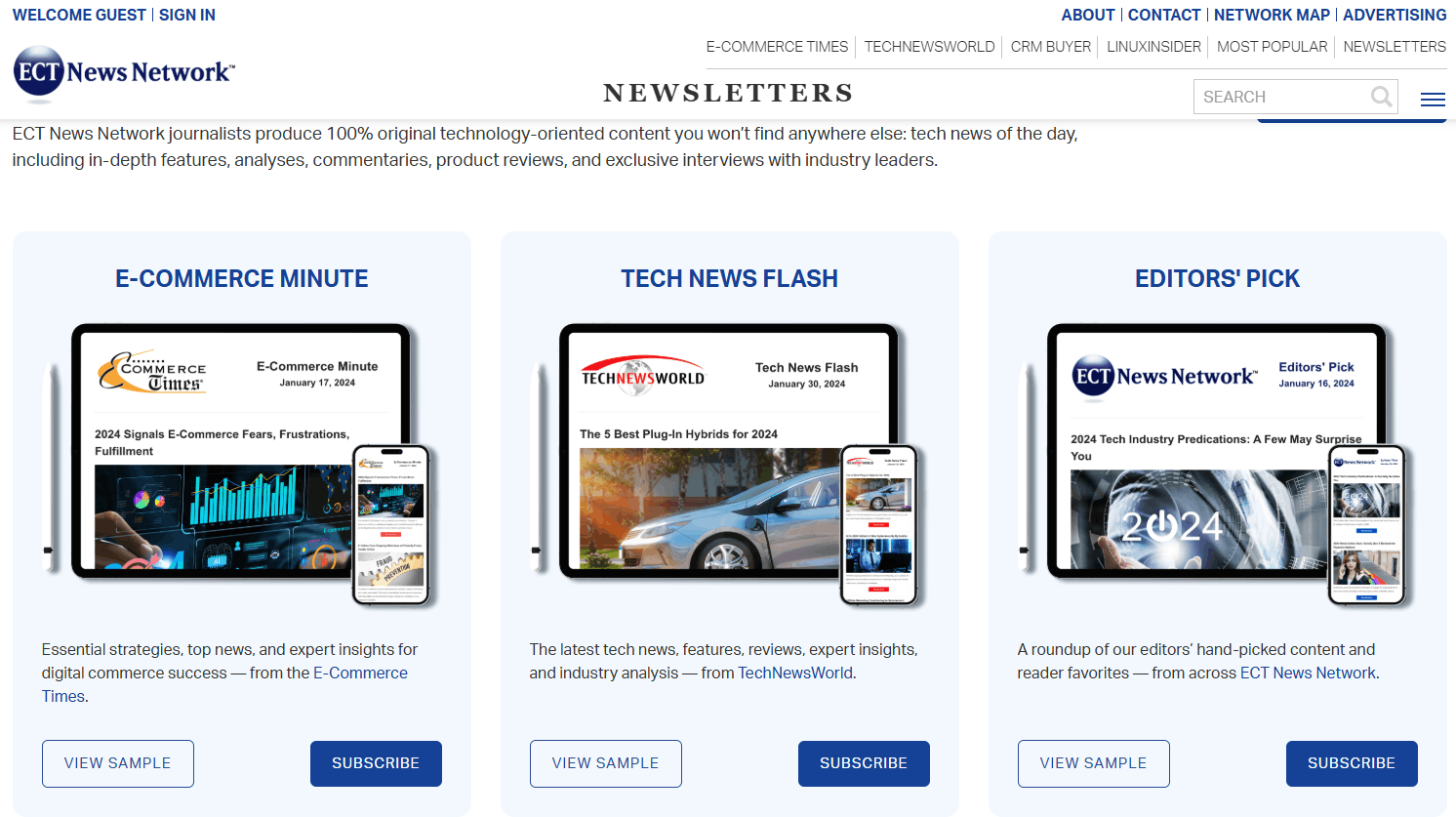
Order confirmations, shipping updates, and receipts pull more opens and clicks than anything else in your program. Most brands do nothing with that attention. Adding a product recommendation or a loyalty nudge to every transactional send is one of the easiest revenue pickups I’ve found in a program audit.
Newsletters
Scheduled content that keeps your list warm between promotional sends. Lower direct revenue attribution but high value for long-term list health.
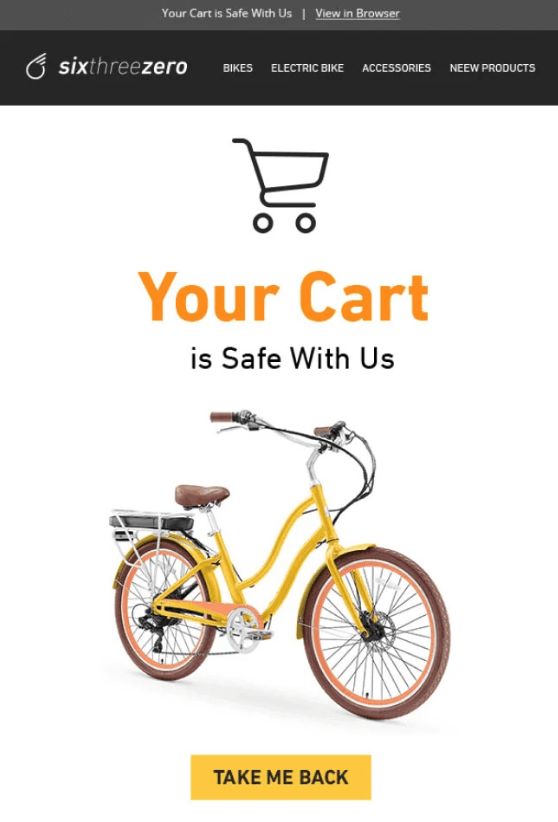
Cart abandonment
Automated flows with high intent have the highest revenue per recipient and click rates for abandoned cart emails.
How to Build an Email Campaign Calendar
A campaign calendar is not a list of send dates in a spreadsheet. It’s a document that connects every email to a goal, an audience, and a named owner.
Step 1: Audit what you’re already sending
For all the brands we manage at InboxArmy, we pull the last 90 days of send data before adding new campaigns. What went out, to whom, what the open and click rates looked like, and what actually drove revenue. Every audit I’ve done has turned up both gaps and redundancies.
If you want to learn about audits, their benefits, key metrics, and a ready-to-use checklist, check out the Email Marketing Audit Guide.
Step 2: Map goals to campaign types
If the quarter is about growing the repeat purchase rate, the calendar should show more post-purchase and loyalty sends, not more promotions. The calendar should reflect the goal, not just fill available send slots.
Step 3: Plot send dates in the right order
Fixed dates first: product launches, seasonal moments, and company events. Then fill in the standing cadence: newsletter, weekly campaign, and monthly digest. I always leave buffer weeks before major sends for copy review and QA.
Step 4: Assign ownership
Every send needs a named person responsible for copy, design, and final approval. Calendars without ownership become a blame game when something goes wrong.
Step 5: Set review gates
I use a hard deadline of five business days before send for copy-ready status, then design review, link check, and final sign-off. Without those gates, last-minute sends get rushed, and mistakes ship.
12-Month Email Calendar
Q1 (January to March): Post-holiday re-engagement, new year product launches, Valentine’s Day campaign. Plan the full quarter in the first week of January.
Q2 (April to June): Spring promotions, Mother’s Day, and end-of-financial-year deals for B2B. Begin planning mid-March.
Q3 (July to September): Back to School, summer clearance, early BFCM strategy. Begin drafting BFCM assets by late August.
Q4 (October to December): Halloween, Black Friday, Cyber Monday, holiday gifting, year-end. This quarter needs its own sub-calendar. Plan it entirely by September 15.
For the monthly view, I use four columns: Week, Campaign Name, Audience Segment, and Owner. Each row is one send. Anything beyond eight sends in a single month gets flagged for a frequency review before it goes on the calendar.
How Far in Advance Should You Plan Email Campaigns?
Planning lead time depends on campaign complexity and creative requirements. Give yourself enough runway so copy and design are finalized well before the send date.
- Standard promotional campaigns: 3–4 weeks minimum
- Seasonal and BFCM campaigns: 6–8 weeks
- Custom creative or external approvals: 8–12 weeks
My rule for writers: if you’re writing copy the week it sends, planning failed.
How Often Should You Send Marketing Emails?
Frequency is the variable I see mismanaged more than anything else. Some brands undermail and leave revenue behind. Others overmail and slowly wreck their list without realizing the damage until unsubscribes start climbing.
The signal I watch first is the unsubscribe rate. Klaviyo recommends staying under 0.3% per campaign. When I see rates between 0.2% and 0.5%, that usually means frequency fatigue, a relevance problem, or a mismatch between what subscribers expected and what they’re getting. Above 0.5% needs immediate attention.
| Industry | Recommended Monthly Sends | Notes |
| E-commerce (active promo calendar) | 8 to 12 | Includes automated flows and campaigns |
| E-commerce (smaller list, early-stage) | 4 to 6 | Build consistency before volume |
| B2B SaaS / Services | 2 to 4 | Nurture-heavy, not promotional |
| Retail / Fashion | 6 to 10 | Seasonal peaks justify spikes |
| Media / Publishing | 4 to 8 | Newsletter-driven, engagement-first |
| Non-profit | 2 to 4 | Donor fatigue is real |
| Health and Wellness | 4 to 8 | A mix of educational and promotional |
For lists under 2,000 subscribers, I recommend starting at two to three sends per month and only increasing when engagement holds steady. Pushing volume before you have relevance is the fastest way to burn a small list.
How to Test the Right Send Frequency for Your Audience
I run an email cadence split test to find your audience’s optimal send frequency. I divide the engaged segment into two groups and compare the results after 60 days.
- Split engaged subscribers into two groups
- Group A gets the current frequency; Group B gets 50% fewer sends
- After 60 days, compare unsubscribe rate, click rate, and revenue per recipient (RPR)
- The group with stronger RPR and a lower unsubscribe rate reveals your true frequency ceiling
A preference center is the other tool most brands ignore. Giving subscribers the option to reduce frequency rather than fully unsubscribe cuts total unsubscribes by 20 to 40%. Without frequency options, you’re giving people a binary choice between staying and leaving, and a lot of them will leave when they’d have stayed if you’d just asked.
Email Content Strategy: What to Send and When
Every underperforming program I have audited has the same problem in the content layer. Too much promotional, almost nothing else. By the third week of the month, subscribers have learned that your emails are always trying to sell them something, so they stop opening the ones that are not.
At InboxArmy, we build content programs around four types: educational, promotional, relational, and transactional. Most brands only really execute one of those.
Educational sends are the ones that make promotional sends convert. A how-to guide, a product deep-dive, a piece of industry data your customers actually care about. You are not selling anything. You are demonstrating that you know what you are talking about and that the subscriber made a good decision by staying on your list.
Promotional sends are where direct revenue comes from: the sale, the launch, and the time-limited offer. They need one offer, one CTA, and enough urgency that the subscriber knows the window is real. The more you clutter a promotional email with secondary offers, the less any of them convert.
Relational sends are the ones most brands skip entirely because the click rates look soft. Founder updates, customer spotlights, behind-the-scenes content, community news. The short-term numbers are modest. What they actually do is keep subscribers from unsubscribing during the months when you are not running a big sale.
Transactional emails deserve their own conversation. Every client program I have inherited has transactional emails that are doing the bare minimum. Order confirmations, shipping updates, and receipts. They pull the highest open rates in your entire program, and most brands treat them like system notifications. A product recommendation and a loyalty nudge in a shipping confirmation is one of the simplest revenue pickups in email.
How to Match Content Type to Funnel Stage
New subscribers
In the first 30 days, new subscribers need a welcome series, brand story, social proof, and a first-purchase incentive. The goal at this stage is conversion, not long-term relationship building.
Subscribers
Subscribers who are engaged but haven’t purchased need educational content, product comparisons, and testimonials. The goal is to reduce purchase hesitation.
Active buyers
They need loyalty content, VIP offers, cross-sell sequences, and replenishment reminders. The goal shifts to increasing lifetime value and pulling a second purchase.
Lapsed subscribers
Subscribers who haven’t engaged in 90-plus days get one re-engagement sequence with a single strong incentive. No new product announcements, no newsletters. Just one clear ask: Are you still interested?
Repurposing Blog and Social Content for Email
Most content teams produce far more material than they ever turn into emails. A blog post on product care becomes a three-part educational drip. A social carousel on top products becomes a visual promotional email. A customer testimonial thread becomes a social-proof nurture send.
The rule I follow: every piece of long-form content should generate at least one email send. Not a link dump, but a reframed version written for inbox context with a single CTA. You get double the content output without doubling the writing time.
How to Plan Seasonal Email Campaigns
Seasonal campaigns drive more revenue per send than almost anything else on the calendar. They also do more list damage when executed badly. The brands that win Q4 are not the ones blasting their full list every three days in November. They’re the ones who started planning in August and segmented properly before a single campaign went out.
The major seasonal moments I plan around for every e-commerce client:
Q1:
New Year (January 1 to 7)
Valentine’s Day (February 1 to 14)
Presidents’ Day in the US (mid-February)
Q2:
Mother’s Day (late April through May 12), Memorial Day (US, late May), Mid-Year Sale.
Q3: Back to School (July through August), Labor Day (US, late August to September 2), early BFCM prep.
Q4: Halloween (October), BFCM (late October through November 30), Holiday Gifting (December 1 to 20), Last-Shipping-Day urgency (December 18 to 20), Post-Christmas clearance.
Industry-specific dates matter too. A fitness brand should plan January as hard as a retailer plans November. Starting in Q3, I have clients draft copy assets, build template variations, and pull product selections for every Q4 moment. When November arrives, the team is executing a plan instead of writing sale copy the night before the campaign goes live.
Email Segmentation is non-negotiable for seasonal sends. Soccer Wearhouse’s biggest revenue months were July and August, generating $40,025 in combined net profit, and a big reason for that was treating seasonal windows with real segmentation discipline rather than blasting the full list. Separate buyers from non-buyers and recent purchasers from lapsed customers, and use geography where it matters.
2026 Email Marketing Seasonal Calendar (Table)
January: New Year reset campaign, re-engagement push for holiday non-purchasers, Q1 product launch tease.
February: Valentine’s Day sequence (3 emails minimum: early bird, main, last chance). Gifting segment prioritized.
March: Spring refresh, loyalty reward send, end-of-Q1 clearance.
April: Earth Day for sustainable brands, early Mother’s Day teaser.
May: Mother’s Day campaign, post-purchase follow-up for Mother’s Day buyers.
June: Mid-year sale, summer product launch, Father’s Day (June 15).
July: Summer clearance, back-to-school early bird.
August: Back to school, BFCM strategy locked, and assets drafted.
September: Labor Day (US), early BFCM teaser to VIP and loyalty segments.
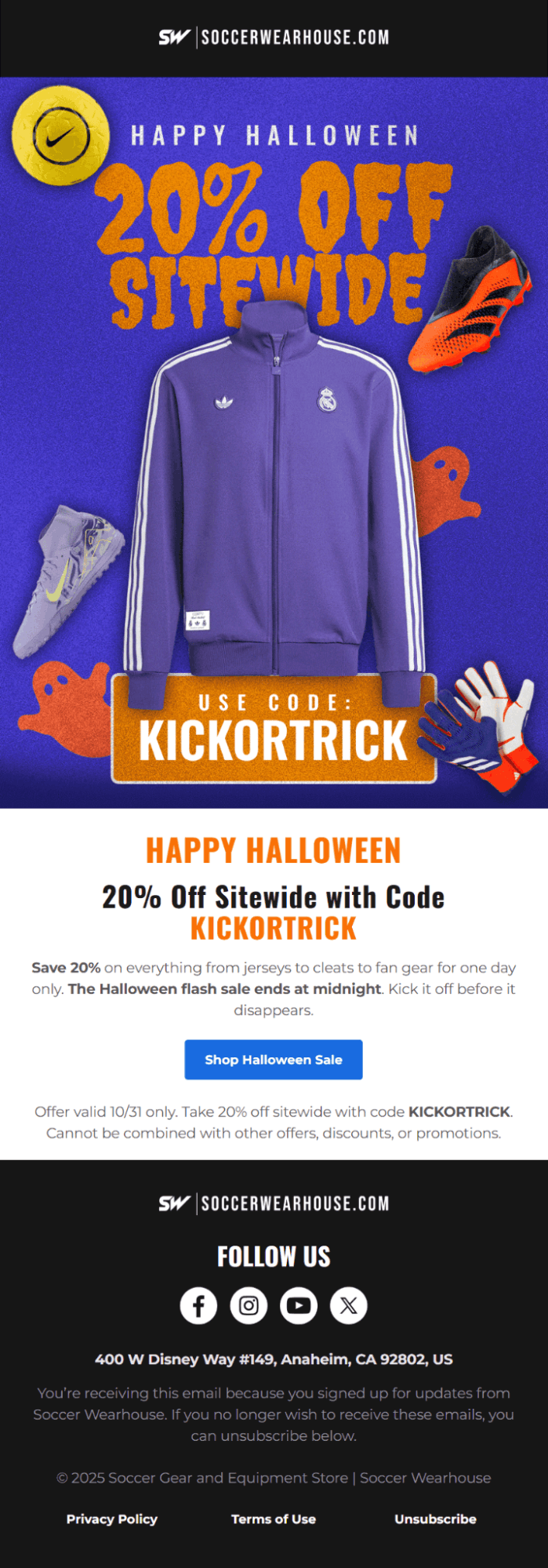
October: Halloween campaign, BFCM early-access emails to loyalty list, countdown begins.
November: BFCM. Your highest-volume month. Run a separate sub-calendar.
December: Holiday gifting (early December), last-shipping-day urgency, Christmas Eve, post-Christmas clearance, New Year preview.
How Early Should You Start Planning Seasonal Campaigns?
Valentine’s Day needs six weeks minimum. Mother’s Day needs six to eight weeks. For BFCM, I start strategic planning in August and lock creative by September 15. Any client who comes to me in October asking about Black Friday strategy is already behind.
The rule I give every client: your most important seasonal campaign needs the most runway. For most e-commerce brands, that’s BFCM. I give it twelve weeks.
Common Email Campaign Planning Mistakes to Avoid
Sending to your full list every time. This is the single fastest way to destroy deliverability and spike unsubscribes. When I audited Soccer Wearhouse’s program, their campaigns were relying heavily on broad sends despite having strong customer data available in Klaviyo. Tightening segmentation was one of the first changes we made and one of the biggest contributors to the performance turnaround.
- Planning campaigns without assigning owners
A calendar with no named owners is a wish list, not a plan. Someone needs to own every send from brief to deployment, and that name needs to be on the calendar.
- Ignoring list decay
Email lists decay at roughly 22% per year. Without active acquisition and consistent suppression of cold contacts, your list is shrinking and disengaging at the same time.
- Over-indexing on open rate after MPP
Apple Mail Privacy Protection affects roughly 50 to 60% of recorded email opens now, inflating the numbers and making open rate unreliable as a standalone metric. I use click rate and revenue attribution as my primary signals.
- Skipping the post-send review
Every send produces data. If I’m not pulling metrics at 24 and 72 hours and documenting what worked, I’m running the same test on repeat without learning anything from it.
- Treating transactional emails as outside the program
They have your highest open rates, and most brands do nothing with that attention. Not optimizing them for cross-sell and brand reinforcement is leaving money in plain sight.
- Not warming up before high-volume periods
Sending a large blast to a cold or partially cold list right before BFCM is a deliverability disaster waiting to happen. I built sending volume up gradually, well before high-frequency windows.
How to Measure Email Campaign Success
Most teams pull open rates, feel good or bad, and move on. That’s not measurement. I’ve seen brands celebrate 45% open rates while their revenue per recipient was sitting at $0.04, which means something in the segmentation or offer is broken.
Open rate
A directional signal, not a primary KPI after MPP. I use it to compare sends to each other, not as an absolute performance measure. E-commerce open rates hit 30.7% in 2025, up for the fifth year running, but MPP inflation makes cross-program comparisons unreliable.
Click-through rate
More reliable than the open rate in the current environment. Average email CTR is 2.09% to 2.62%, depending on platform and industry.
Conversion rate
The percentage of recipients who completed the desired action: a purchase, form fill, or booking. The industry average is 0.08%, with top 10% performers at 0.44%.
Revenue per recipient
My primary metric for ecommerce email. Total attributed revenue divided by total delivered emails. This one number tells me whether segmentation and offers are working.
List growth rate
New subscribers minus unsubscribes and bounces, divided by total list size. A negative number means acquisition isn’t keeping up with decay.
Unsubscribe rate
For our brands across the board, we aim to stay under 0.3% per campaign. Consistently above that points to a segmentation, frequency, or relevance problem.
Deliverability and inbox placement rate
One in six marketing emails never reaches the inbox. At InboxArmy, for every email campaign, we monitor inbox placement separately from delivery rate.
| Metric | Industry Average | Good | Excellent |
| Open rate (ecommerce) | 30 to 38% | 40 to 45% | 50%+ |
| Click-through rate | 2.1 to 2.6% | 3 to 4% | 5%+ |
| Conversion rate (campaigns) | 0.08% | 0.20 to 0.30% | 0.44%+ |
| RPR (campaigns) | $0.06 to $0.11 | $0.25 to $0.50 | $0.97+ |
| RPR (flows) | $1.58+ | $3.00+ | $5.00+ |
| Unsubscribe rate | Under 0.3% | Under 0.15% | Under 0.08% |
| List growth rate | Positive MoM | 2 to 5% MoM | 5%+ MoM |
Vanity Metrics vs. Metrics That Actually Matter
I’ve audited lists with 100,000 subscribers that were generating less revenue than a competitor running 15,000 clean, active buyers. Size means nothing without engagement.
From our experience of managing hundreds of email campaigns, the metrics we prioritize at InboxArmy are:
- RPR
- Click-to-conversion rate
- Attributed revenue by segment
If you track nothing else, track those. Everything else either feeds into those numbers or it doesn’t matter.
The Email Campaign Checklist: Pre-Build, Pre-Send, and Post-Send
Pre-Build
- Campaign goal defined and documented
- Audience segment identified, not “everyone”
- Content type matched to funnel stage
- Send date confirmed and in the campaign calendar
- Owner assigned for copy, design, and deployment
- Offer or CTA confirmed before brief issued to writer
- Pre-Send
- Copy proofread for grammar, tone, and brand voice
- All links tested, including the unsubscribe link
- Mobile preview checked in at least two email clients
- Subject line and preview text reviewed together
- Personalization tokens tested with a real contact
- Spam filter check run
- Send time confirmed against historical engagement data
- Segment size verified before deployment
- Post-Send
- Metrics pulled at 24 hours: open rate, CTR, unsubscribes, revenue
- Metrics pulled again at 72 hours: conversions, RPR, list growth impact
- Anomalies flagged: unusual unsubscribe spike, deliverability drop, broken link reports
- Learnings documented in campaign log
- Follow-up sequence triggered if applicable
- Data fed back into the next planning cycle
Need Help Planning and Executing Your Email Campaigns?
Building a high-performing email program takes time, expertise, and the right process. If you’d rather focus on your business while experts handle your calendar, segmentation, creative, and sends, our email campaign management services are built for you.
Our team builds goal-driven calendars, automates the right flows first, and assigns clear ownership to every send, so you get cleaner lists, better deliverability, and subscribers who actually open.
CTA: Explore our email campaign management services
FAQ
What is the difference between an email campaign and an email sequence?
A campaign is a planned, manual send tied to a moment. A product launch, a flash sale, a seasonal push. You write it, schedule it, and it goes out once. A sequence is automated and triggered by what a subscriber does: signs up, abandons a cart, or makes a first purchase. Campaigns follow your calendar. Sequences follow your subscriber’s behavior.
How many emails should be in an email campaign?
For a standard promotion: three. A launch email, a mid-point reminder, a last-chance send. For a welcome series: three to five emails across the first week to ten days. For re-engagement: two, maybe three, with the final one making clear that silence means removal from the list. More than that is usually a pacing problem, not a content problem.
How far in advance should I plan my email marketing campaigns?
Standard promotional sends need three to four weeks. Seasonal campaigns like Valentine’s Day or Mother’s Day need six to eight. BFCM planning should start in August. If the team is writing Black Friday copy in October, planning did not happen. Complexity dictates lead time.
What is a good open rate for email campaigns in 2026?
For e-commerce, 40 to 45% is solid, and above 50% is genuinely strong. The industry average sits around 30 to 38%, but Apple MPP has inflated those numbers for consumer lists. I will take a 35% open rate with a healthy RPR over a 50% open rate that is not moving product. Open rate is a signal, not a scorecard.
How do I plan an email campaign for a small list?
Send less and make it count. Two to three times a month to a small, engaged list will beat six sends to a cold one. Before you push campaign volume, get the welcome series and cart abandonment flow live. Those two automations will generate more revenue than any additional manual campaign you add to the calendar.
What tools do I need to plan email campaigns?
An ESP is the foundation: Klaviyo, Omnisend, ActiveCampaign, and Mailchimp all work. Beyond that, a shared calendar (Google Sheets or Notion works fine) and a brief template so writers know what they are actually building before they start. Teams managing higher send volume usually add a project management tool with deadline notifications. The tools matter less than whether people are actually using them.
How do I avoid the spam folder when sending email campaigns?
Authenticate your domain. SPF, DKIM, and DMARC need to be configured correctly before you worry about anything else. Keep the unsubscribe rate below 0.3% and spam complaints below 0.1%. Only send to subscribers who have engaged recently, suppress anyone past 180 days of inactivity, and increase volume gradually before high-frequency periods like BFCM. A healthy sender reputation built on a clean list will outperform any inbox placement trick you can find in a blog post.